
 Arabic
  English
  Turkish
  Chinese
  Japanese
  Russian
  Spanish
  German
  French
  Hindi
Hindi Download Audio & Music 1.0 for Windows
Free download EarTrumpet 1.0 full version standalone offline installer for Windows PC,
EarTrumpet Overview
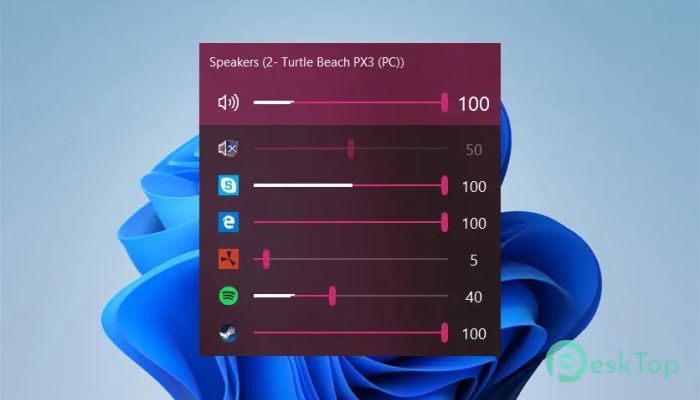
This software is a modern audio control tool built for Windows users who want more control over their sound settings. It functions as an upgraded version of the default mixer, offering far more precision and ease. With its clean interface and seamless integration, it enables you to adjust sound levels for each app individually, switch devices quickly, and enjoy an overall improved audio experience.Features of EarTrumpet
One of the biggest strengths of this tool is its ease of managing sound sources. Instead of opening several menus, you get all the essential controls from the taskbar. It offers clear visuals, simple navigation, and fast access, making everyday audio adjustments a breeze.
Another notable feature is its seamless compatibility with both classic desktop applications and modern Windows applications. Whether you're gaming, watching videos, or joining online meetings, it keeps everything organized so you can set sound levels exactly the way you want.
Per-App Volume Control
A standout feature of this tool is its ability to control the volume of each app individually. If your browser is too loud or your game is too quiet, you can adjust the balance in just seconds. This flexibility enables users to create a comfortable audio environment without needing to adjust the overall system volume.
Smooth Device Switching
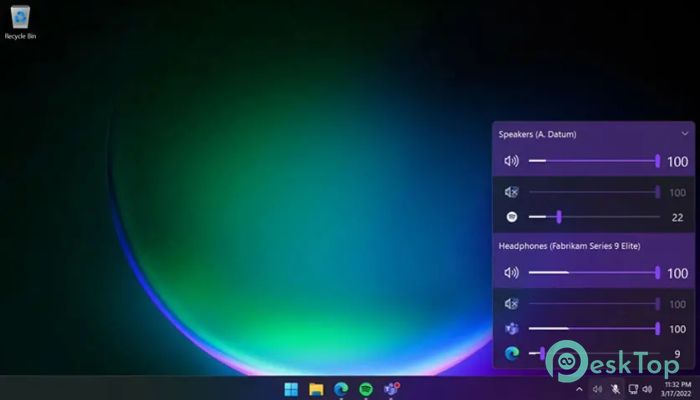
The tool enables you to switch audio devices with just a few clicks. Whether you are moving from speakers to headphones or connecting to a Bluetooth device, the process stays quick and simple. It's perfect for multitaskers and users who constantly switch between devices.
Modern Windows Integration
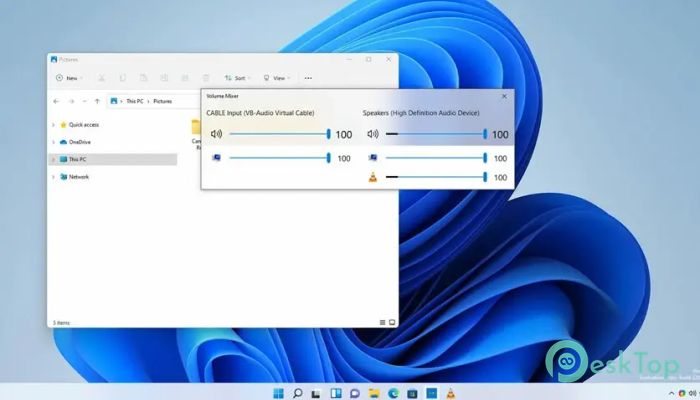
This software matches the look and feel of the Windows interface. It seamlessly integrates into the system tray and adopts a familiar design style, making it easy for anyone to use. The layout looks polished, and each option is placed where you expect it to be.
Move Apps Between Devices
One of its most useful functions is the ability to move active apps from one audio device to another. For example, you can use headphones for your music player while keeping your game audio on speakers. It makes controlling multiple audio outputs organized and straightforward.
Why This Tool Is Helpful
The tool is ideal for users who need quick audio control without having to navigate deep system settings. Gamers, video editors, streamers, and everyday users can all benefit from its fast access and detailed control options. It saves time and provides a much smoother audio experience compared to the default mixer.
User-Friendly Interface
Everything in this tool is designed to be clean and easy to understand. Icons are clear, sliders respond smoothly, and the layout helps you make adjustments instantly. Even if you aren’t tech-savvy, you’ll find it simple to manage.
Lightweight and Efficient
Despite offering advanced features, the tool is extremely lightweight. It runs quietly in the background, using minimal memory and system resources. You get powerful audio control without slowing down your PC.
System Requirements and Technical Details
Operating System: Windows 11 / 10
Processor: Minimum 1 GHz Processor (2.4 GHz recommended)
RAM: 2GB (4GB or more recommended)
Free Hard Disk Space: 200MB or more is recommended

-
Program size372.95 KB
-
Version1.0
-
Program languagemultilanguage
-
Last updatedBefore 1 Hours
-
Downloads0
 Mp3tag
 EarTrumpet
 Last.fm Desktop Scrobbler
 Waves Ultimate 16
 Last.fm Desktop
 GiliSoft Audio Recorder Pro